BoosterScout › Discord alerts
Discord and your alerts: how it works
You set up your personal restock alerts in one place: your VIP account. You can do it on the website and in Discord with /alerts. Whatever you change in one place applies in the other right away.
Step 1: link your Discord
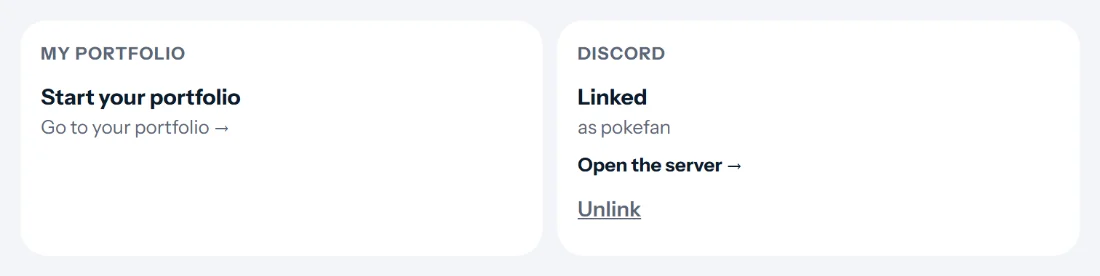
Go to your account page and click Link Discord under Discord. Discord asks whether BoosterScout may see your name and add you to the server. Click Authorize. You are then in the BoosterScout server straight away with the VIP role, and you can see the #restock-alerts channel.

Step 2: choose your alerts on the website
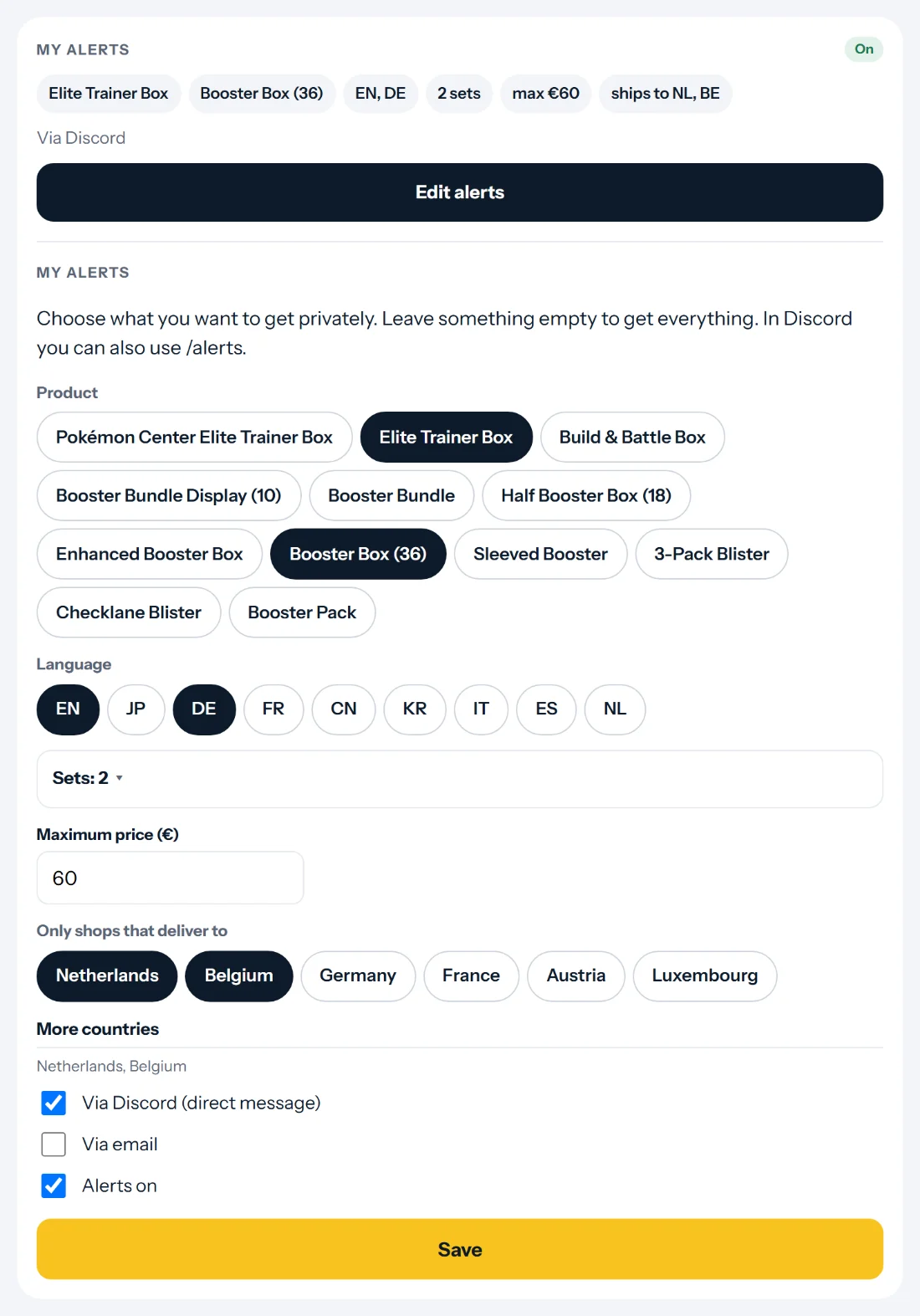
Under My alerts, click Edit alerts. Choose products, languages and sets, a maximum price and the countries the shop must ship to. Leave something empty to get everything. Then choose how you want to get them: Via Discord (direct message), Via email or both. Click Save.
Or do it in Discord with /alerts
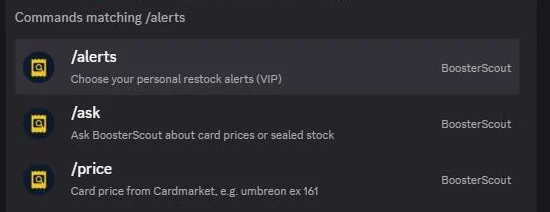
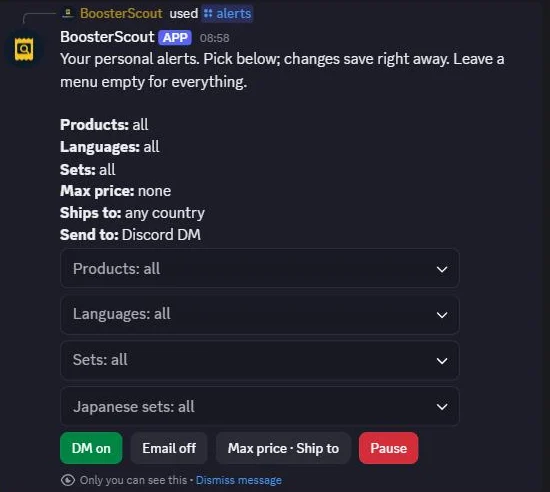
Type /alerts in a channel of the BoosterScout server and pick the command. You get a panel that only you can see. Every choice in the menus is saved right away, so there is nothing to save. With the buttons you turn direct messages (DM) and email on or off, set a maximum price and shipping countries, or pause everything.
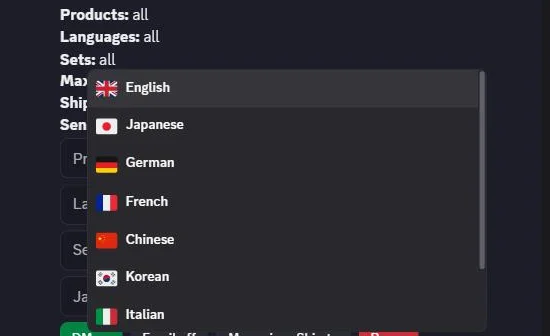
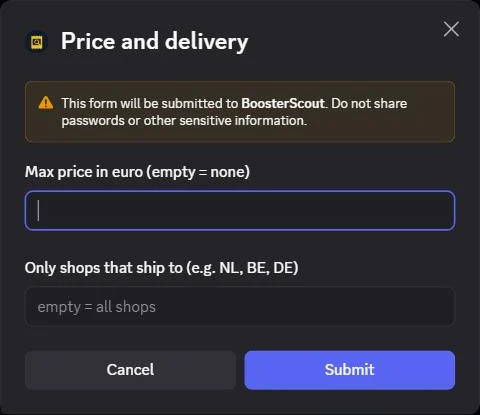
On the website and in Discord
| Website | Discord /alerts |
|---|---|
| Product | Products |
| Language | Languages |
| Sets | Sets and Japanese sets |
| Maximum price and shipping countries | Max price · Ship to |
| Via Discord (direct message) | DM on / DM off |
| Via email | Email on / Email off |
| Alerts on | Pause / Resume |
On the website you click Save; in Discord every choice is saved right away. Is your account page already open and you change something in Discord? Reload the page. Type /alerts again and you always see the latest settings.
Where do your alerts arrive?
In the #restock-alerts channel, VIP members see every restock as it happens. Your personal alerts only cover what matches your choices: as a direct message from the BoosterScout bot, by email or both. A direct message looks the same as a post in the channel.
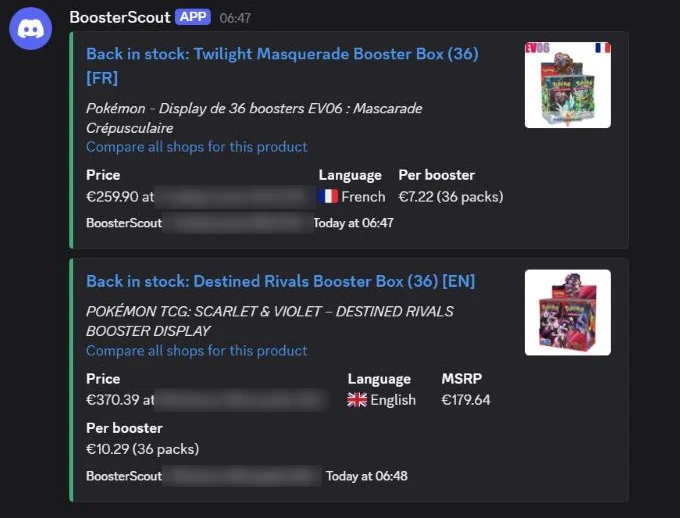
More in Discord
/price gives the card price from Cardmarket, for example /price umbreon ex 161. With /ask you ask a question about card prices or stock.
Frequently asked questions
Do I have to set my alerts up in two places?
No. The website and Discord change the same settings.
I don't get direct messages. Why?
Check that Via Discord (direct message) is on. In Discord, also allow direct messages from server members for the BoosterScout server.
Can I pause everything for a while?
Yes. Turn Alerts on off on the website, or click Pause in Discord. Resume turns everything back on.
How do I unlink Discord?
On your account page under Discord, with Unlink. You then lose the VIP role in the server. Email alerts keep working if you have them on.
What happens when my VIP ends?
The VIP role is removed and your personal alerts stop. Become VIP again and you get the role back automatically.